
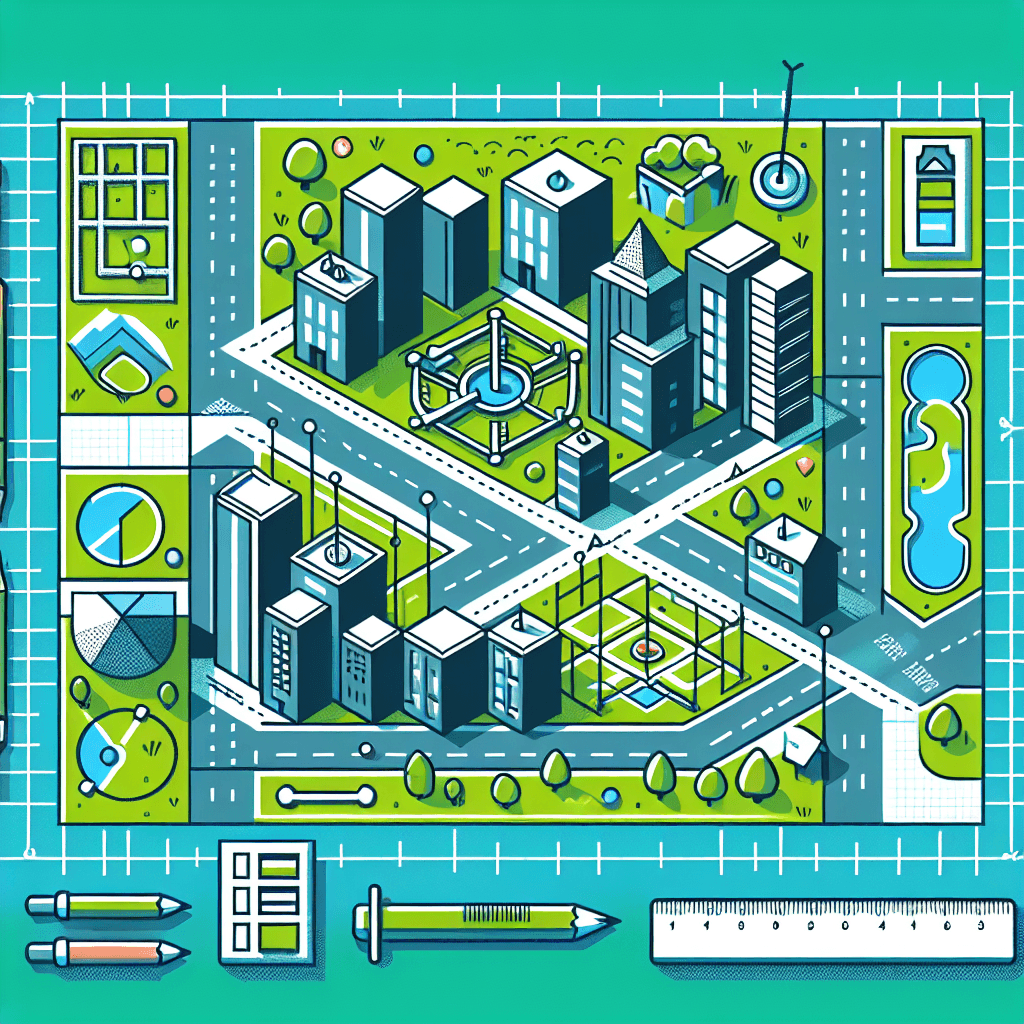
Virtual City Planning: Designing with Area and Perimeter
Inquiry Framework
Question Framework
Driving Question
The overarching question that guides the entire project.How can we use our understanding of area and perimeter, multiplication and division, and technology to design an effective and functional virtual city plan that communicates complex mathematical concepts clearly?Essential Questions
Supporting questions that break down major concepts.- What are the real-world applications of area and perimeter in designing structures?
- How can understanding the properties of multiplication and division help in city planning?
- What role does technology play in modern city planning and design?
- How can we communicate complex mathematical ideas and designs effectively?
Standards & Learning Goals
Learning Goals
By the end of this project, students will be able to:- Apply area and perimeter formulas to design structures in a virtual city.
- Use multiplication and division to calculate dimensions and solve problems in city planning.
- Integrate technology to create a virtual model of a city plan.
- Demonstrate understanding of design principles in urban planning.
- Communicate mathematical concepts and city designs effectively using digital tools.
Common Core Standards
Next Generation Science Standards
Entry Events
Events that will be used to introduce the project to studentsMayor for a Day: Code a New 'Green' District
Invite a guest 'Mayor' to kick off the project and present students with a challenge: design a new, eco-friendly district in Tech Town using tech tools to manage spaces efficiently. Emphasize the importance of utilizing area and perimeter knowledge to maximize green spaces and energy-efficient layout.Portfolio Activities
Portfolio Activities
These activities progressively build towards your learning goals, with each submission contributing to the student's final portfolio.Build the Basics: Rectangle Recon
In this activity, students will strengthen their understanding of rectangle area and perimeter by creating blueprints for basic city structures. They will calculate the area and perimeter of various rectangles to ensure their design meets the criteria set for Tech Town.Steps
Here is some basic scaffolding to help students complete the activity.Final Product
What students will submit as the final product of the activityA set of blueprints with calculated area and perimeter for each rectangle, showing foundational city design structures.Alignment
How this activity aligns with the learning objectives & standardsAligns with 4.G.3 and 4.MD.A.3, focusing on applying the area and perimeter formulas for rectangles in practical scenarios.Multiplication & Division Dimensional Designers
Students will extend their understanding of multiplication and division to determine the dimensions of more complex structures in their virtual city, preparing them for sophisticated city planning tasks.Steps
Here is some basic scaffolding to help students complete the activity.Final Product
What students will submit as the final product of the activityUpdated blueprints detailing structures where dimensions have been determined using multiplication, division, and algebraic thinking.Alignment
How this activity aligns with the learning objectives & standardsAligns with 4.A.1 and extends understanding of multiplication and division to solve problems with variables.Tech Town's Virtual Visionaries
In this activity, students combine their mathematical skills with technology, using digital tools to create a detailed virtual model of their city plan.Steps
Here is some basic scaffolding to help students complete the activity.Final Product
What students will submit as the final product of the activityA comprehensive virtual model of a city plan, reflecting detailed area and perimeter calculations and creative design solutions.Alignment
How this activity aligns with the learning objectives & standardsSupports 4.ETS1.A by emphasizing design thinking and problem-solving, and integrates technology in alignment with utilizing digital tools to demonstrate understanding.Communicate & Captivate: Design Doc
Students will create a presentation that communicates their mathematical process and design choices in the creation of their virtual city. This will demonstrate their ability to convey complex mathematical concepts clearly and effectively.Steps
Here is some basic scaffolding to help students complete the activity.Final Product
What students will submit as the final product of the activityA digital presentation that includes calculations, design rationales, and a virtual city showcase, effectively communicating mathematical ideas.Alignment
How this activity aligns with the learning objectives & standardsAligns with communication goals in 4.NBT.B.4 and supports the integration of technology with mathematics, emphasizing clear communication of complex concepts.Rubric & Reflection
Portfolio Rubric
Grading criteria for assessing the overall project portfolioVirtual City Planning Portfolio Rubric
Mathematical Application
Assessment of students' proficiency in applying mathematical formulas and operations in their city planning designs, including area, perimeter, multiplication, and division.Area and Perimeter Calculations
Evaluates the accuracy and application of area and perimeter calculations in city structure design.
Exemplary
4 PointsDemonstrates sophisticated understanding and precise calculations of area and perimeter, applying them innovatively across complex city designs.
Proficient
3 PointsDemonstrates thorough understanding and accurate calculations of area and perimeter, applying them appropriately in city designs.
Developing
2 PointsShows emerging understanding with correct area and perimeter calculations, though applied inconsistently across designs.
Beginning
1 PointsShows initial understanding with frequent errors in area and perimeter calculations, struggling to apply them in designs.
Operational Thinking Using Multiplication and Division
Assesses students' understanding of multiplication and division in calculating dimensions and solving related problems.
Exemplary
4 PointsPrecisely uses multiplication and division, solving problems involving variables creatively and accurately across all structures.
Proficient
3 PointsEffectively uses multiplication and division, accurately solving problems with variables in most structures.
Developing
2 PointsUses basic multiplication and division, with partial success in solving problems with variables.
Beginning
1 PointsStruggles with multiplication and division, frequently incorrect in solving variable-related problems.
Technological Proficiency and Design
Assessment of students' ability to use technology creatively and effectively in designing a virtual city map and visualizing mathematical concepts.Integration of Technology Tools
Evaluates proficiency in using digital tools to design and visualize the city plan.
Exemplary
4 PointsDemonstrates mastery in using digital tools, creating an innovative, detailed, and functional virtual city model.
Proficient
3 PointsUses digital tools effectively, creating a clear and functional virtual city model.
Developing
2 PointsShows basic use of digital tools, with some issues in functionality or attention to detail in the city model.
Beginning
1 PointsStruggles with digital tool usage, resulting in an incomplete or unclear virtual city model.
Communication and Presentation
Evaluation of clarity and coherence in communicating mathematical reasoning and city design through digital presentations.Presentation of Mathematical Concepts
Assesses the ability to clearly communicate mathematical reasoning and design choices in a digital presentation.
Exemplary
4 PointsPresents mathematical concepts and design choices with exceptional clarity, effectively linking reasoning with design.
Proficient
3 PointsClearly presents mathematical concepts and design choices, with logical connections between reasoning and design.
Developing
2 PointsPresents mathematical concepts and design choices with partial clarity, with some logical gaps in reasoning.
Beginning
1 PointsStruggles to present mathematical concepts and design choices clearly, with significant gaps in logical reasoning.